





A HEARTH OF YOUR OWN

All your worlds.
One warm home.

Games, videos, comics and art. A home for everything you love, including the collections you keep to yourself.

An interactive look inside. No account needed.

Official Hades cover by Supergiant Games
SAVED FOR A QUIETER MOMENTA little escape.
Your videos
Pepper
& Carrot
DAVID REVOY
9:41
Hearth

A little time
for yourself.

For youComicsVideos
Paper GirlsContinue reading →
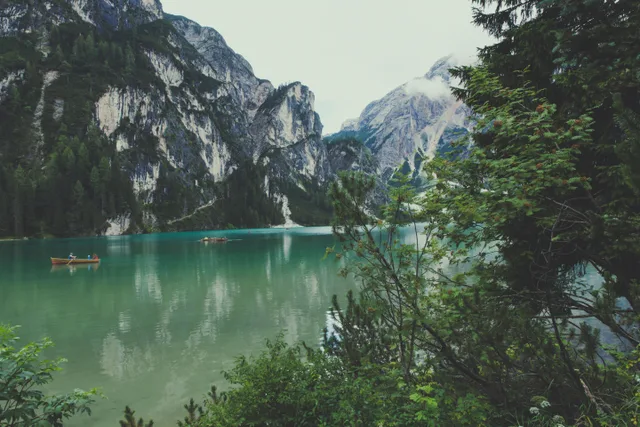
A mountain photograph from the sample galleryA little further out.
Games!Video collections!Comics!Images!Mobile! Just for you ;)Your collection. Your business.
Example collection. Meet the creators ↗

WHY PEOPLE ARE MOVING IN

Everything a media server should be.
A fraction of the weight.

Hearth streams your films and series on far less processor and memory than the usual media servers, starts playing almost before you let go of the button, and never asks you for a pass.

Far lighter
Less processor and memory than the usual media server, at 1080p and in 4K.
Instant start
1080p from another network began at once. No buffering wheel.
Free forever
No pass, no tiers, nothing held back for paying members.
Open source
Coming soon. Read it, run it, make it yours.
THE LOAD TEST

Same film. Same server.
Far fewer logs on the fire.

The usual media serverWorking the bellows
Processor
Memory
HearthLight as a feather
Processor
Memory

At 1080p, Hearth runs on a fraction of what the usual media server asks of your machine.

An illustration of our own side-by-side tests against a popular media server, on the same machine. Your hardware will vary.
ALL INCLUDED

Everything’s in the box.
Nothing behind a pass.

20things,
all included

Big Buck Bunny, the Blender Foundation’s open movie
  • Films, series, VR & anime
  • AI upscaling, live on your GPU
  • Subtitles that find themselves
  • Float it over any app
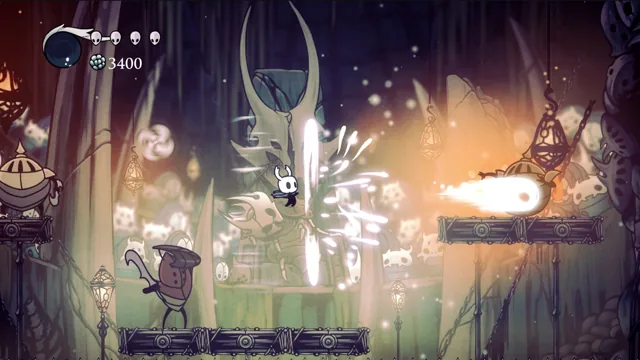
Hollow Knight by Team Cherry
  • Local, web & Steam, together
  • New builds, spotted for you
  • Cheats & save editing
  • Stream from your gaming PC
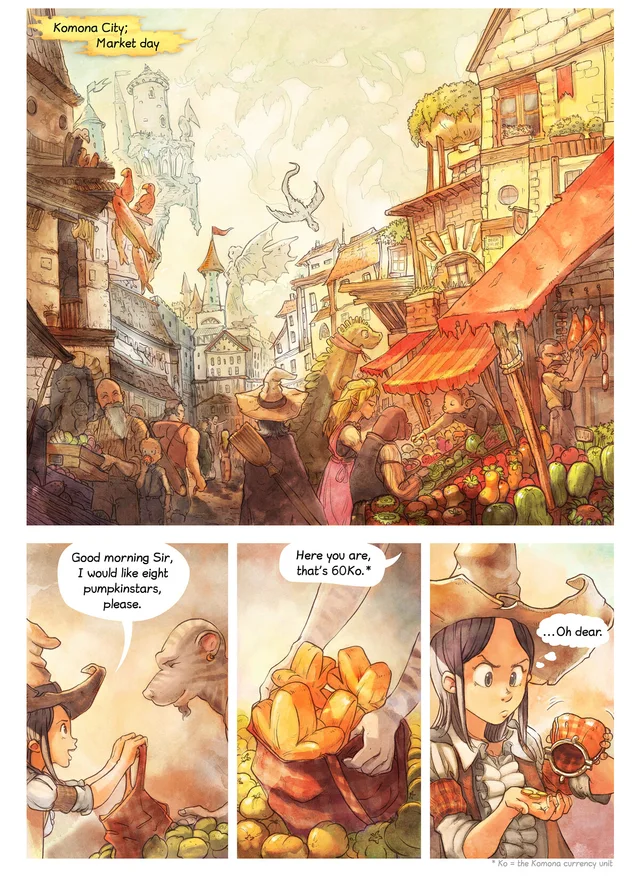
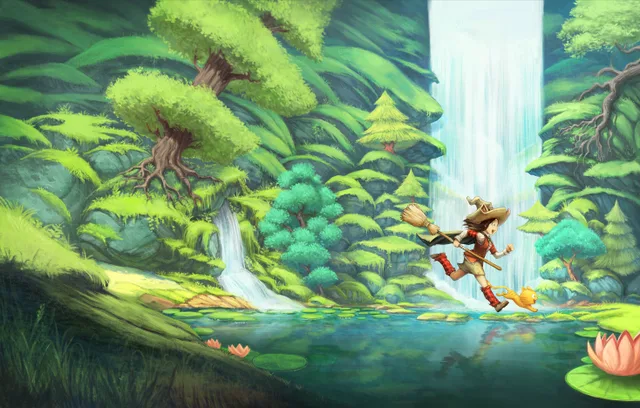
Pepper & Carrot by David Revoy
  • Comics & manga, page or spread
  • Galleries for photos & art
  • Your music, anywhere
  • Pick up right where you left off
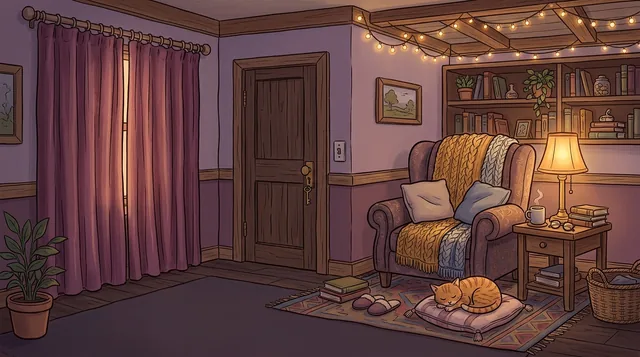
An illustrated reading nook at night, curtains drawn and a key in the door
  • A privacy cover in one tap
  • Locks when you step away
  • Bring your own VPN
  • Accounts on your own server
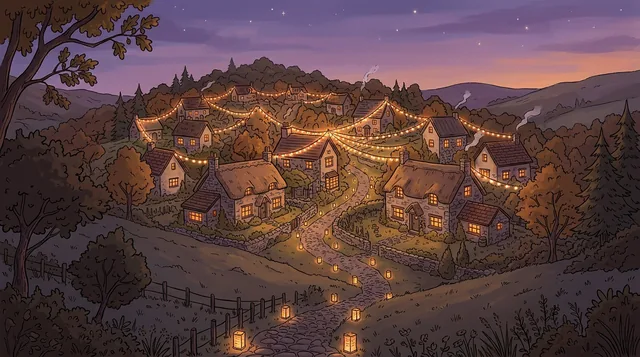
An illustrated hillside village at dusk, its cottages linked by strings of lights
  • Torrents that find their own shelf
  • A private browser on your server
  • Shelves shared with your people
  • Let your AI drive, through MCP

Everything aboveFree

On your own hardware. Game streaming and launching need a configured desktop.

The things you put up with elsewhere.
Left at the door.

Get Hearth, free
  1. Streaming away from home, behind a passWatch from anywhere you reach your server. No fee.
  2. Prices that keep creeping upFree forever. There is nothing to renew.
  3. Every sign-in routed through someone else’s cloudAccounts live on your own server.
  4. Ads, free-TV channels and a feed you never asked forJust your shelves. No ads, ever.
  5. Your watch history shared with friendsPrivate by default. Covered in one tap.
  6. Nowhere to put your games or comicsGames, comics, art and VR live here too.

TAKE A LOOK AROUND

Every collection.
Its own little world.

This is Hearth. Pick a room, open a shelf, find something good.
The actual desktop and phone apps, with a PG sample library.

Go on. Pick a room.Open larger
Hover to unfold. Tap to explore. Arrow keys work too.Meet the collections

More than a media library.
Your kind of library.

From your next favourite game to your most personal collection.
Everything gets a proper place here.

01 / THE COLLECTION

A proper home for play.

Your indie favourites, Steam library and browser discoveries, together. Keep builds organised, find updates and get back to playing.

  • Local, web & Steam libraries
  • Versions, saves & cheats
  • Play on desktop or stream from your PC
Your Steam library belongs here too Open Hearth
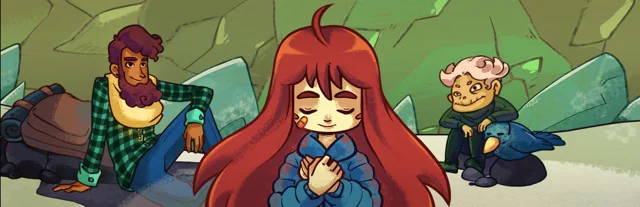
Official Celeste artwork from Extremely OK Games.
INDIE ADVENTURECeleste

Every mountain starts with one more try.

02 / THE COLLECTION

Your next watch. Your own shelf.

Films, series, animation and the things you keep to yourself. Give every collection its own place, and pick up where you left off.

  • Videos, VR & animation
  • Series kept together
  • Resume from your last scene
Open Hearth
Big Buck Bunny and the woodland characters from the Blender Foundation film.
SAVED TO YOUR SHELFBig Buck Bunny

An open movie from the Blender Foundation.

03 / THE COLLECTION

One more page. Then one more.

Comics, manga and illustrated worlds, shelved by series. Open a book on your tablet or phone and settle in right where you stopped.

  • Comics, manga & CBZ books
  • Page and spread reading
  • Your place remembered
Open Hearth
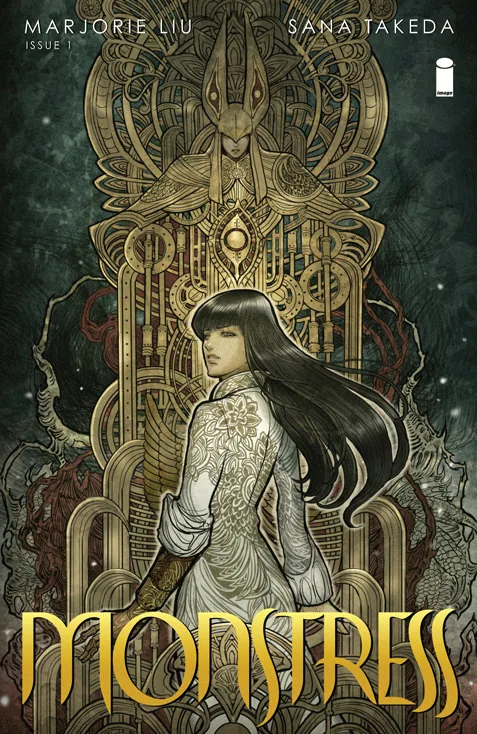
The illustrated cover of Monstress issue one by Sana Takeda.
THE READING ROOMMonstress

A world by Marjorie Liu & Sana Takeda.

04 / THE COLLECTION

Keep what catches your eye.

Photography, artwork and personal collections deserve more than a forgotten folder. Bring them into galleries you can browse, tag and make your own.

  • Separate pictures & art shelves
  • Tags, favourites & collections
  • An immersive full-screen viewer
Open Hearth
A real landscape photograph from Pexels.
THE GALLERYTake the long way

Photographs worth keeping.

Made for all the things you collect

Indie games Film & video Anime & animation VR Comics & manga Photography & art

ALREADY HAVE A COLLECTION?

Keep the files.
Find the feeling.

Those folders you’ve been collecting for years? Give them a home worth opening. Scan your installed games or existing videos, then settle into a proper library.

Your folders, your storageRead-only video archives welcomeYour edits and progress stay put
Make room for your library
INTERACTIVE SAMPLE
Weekend films
Forest walks.mp4VIDEOCity after dark.mp4VIDEOBy the water.mp4VIDEOOriginals stay right here.
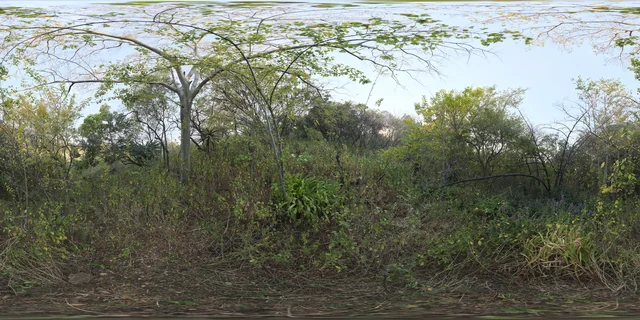
A sunlit forest from the sample video archive
Forest walks
City architecture from the sample video archive
City after dark
Coastal waves from the sample video archive
By the water
A sample of how your folder becomes a shelf.
Index in place · read-only supported
Steam Hearth

Your Steam library.
Right at home.

Your Steam favourites, indie finds and browser games, together in Hearth. Sync your library, browse the artwork and see what you’ve been playing.

  • Owned & installed games
  • Playtime & recently played
  • Launch through Steam on desktop
Explore the Steam shelf

Connect Steam in your server settings. Game launching needs a configured desktop.

Portal 2 official game artwork
Portal 2Valve
Terraria official game artwork
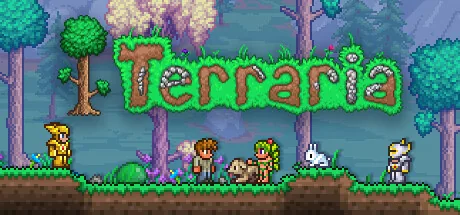
TerrariaRe-Logic
Balatro official game artwork
BalatroLocalThunk
Already love it?
Bring it along.
Steam libraryYour Hearth

A few familiar faces. A sample Steam collection.

YOUR GAME UPDATE WATCHER

The next chapter?
We’ll keep an eye out.

Follow creator posts on Patreon, spot new builds on itch.io, and check linked releases on other supported sites. See what’s changed without revisiting every tab.

PatreonCreator posts & releasesitch.ioNew builds from indie creatorsLinked sourcesOther supported game pages

A little lookout for your games.

Sample update check

PatreonA creator you followLooking for a new release postFollowing New postWatching
itch.ioYour indie favouriteComparing linked game versionsv1.2 v1.3Watching
Linked pageAnother game you loveChecking a supported release pagev2.0 v2.0Watching
Your sources, kept together. Try a sample check.

Checks only, or automatic updates for supported games.
New builds keep their own version folder, so your old build and saves stay put.

How the watcher works

MEET HOOKERTHE INTEGRATED CHEAT MCP

Give your game
a little nudge.

Hearth’s integrated cheat MCP connects your AI assistant to supported single-player games. Inspect live stats, edit saves, or build a cheat plan for your next launch.

Keep your place.

Save tools with backups and a way back.

Keep your favourite build.

New versions get their own folder.

Ask HOOKER.

Live game state, remembered discoveries and cheat plans.

RPG MakerRen’PyUnityGodotGameMakerHTML / TwineJavaElectron

Advanced tools depend on the game engine and a compatible host. Live game tools need a configured gaming machine.

A little adventureSample RPG · game toolsINTERACTIVE SAMPLE

Ready for another try.

Your sample adventurer’s current save.

Level9Gold840Playtime03:42
Before the bossBackup · Level 6 · 320 gold

A backup gives you somewhere to return to.

MAKE A LITTLE TIME

One more page.
One more world.

Open a comic, pick up a video, or look a little further around. A collection should feel just as good when you step inside.

INTERACTIVE SAMPLE
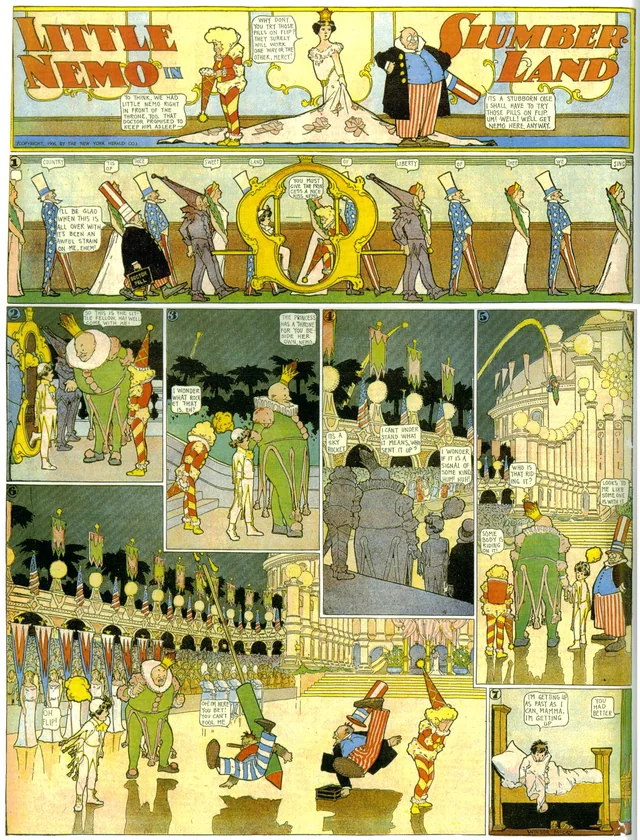
Little Nemo in SlumberlandWinsor McCay · public-domain comic pages
Little Nemo in Slumberland comic strip from 1 July 1906
Little Nemo in Slumberland comic strip from 15 October 1905
Pages 1–2 of this sample

THE LISTENING ROOM

Put a record on.
Every note, your own.

A home for the albums you keep. Find them on Soulseek, play them in full quality from your own server, and share the room with the people you choose. On your phone, it is an app of its own.

  • Soulseek, wired inAsk for an album or a playlist. Hearth’s music stack finds the right recording, prefers the lossless copy and files it by artist and album.
  • One server. Full fidelity.FLAC plays exactly as it is. Formats a browser cannot play, or a lighter stream for a weak signal, are converted as they play.
  • Shared, never copiedFriends on your Hearth hear the same library with their own likes, playlists and queue. Send a share link, or use any Subsonic app.

Find it on Soulseek.

The best copy wins. The rest are passed over.

SAMPLE
  1. Open Goldberg VariationsKimiko Ishizaka · 3 tracksFLAC · 16-bit · 44.1 kHzPassed over an MP3 320 copy (a lossless one was there)
  2. The Well-Tempered Clavier, Book 1Kimiko Ishizaka · 2 tracksFLAC · 16-bit · 44.1 kHzPassed over a folder missing two tracks
  3. Symphony No. 3 “Eroica”Musopen Symphony · 2 tracksFLAC · 16-bit · 44.1 kHzPassed over a live recording, 4 minutes longer
  4. Egmont Overture, Op. 84Musopen Symphony · 1 trackFLAC · 16-bit · 44.1 kHzPassed over a “remastered” copy that was really MP3
  5. Big Buck Bunny (Original Score)Jan Morgenstern · 1 trackFLAC · 16-bit · 44.1 kHzPassed over a 128 kbps rip
  6. I Move OnJan Morgenstern feat. Helena Fix · 1 trackFLAC · 16-bit · 44.1 kHzPassed over a remix with the same name

An illustrative search over the sample library. This page never connects to Soulseek.

Warming up the room…The real phone app, finding its records.
The real /listen app. Add it to your home screen as Music.Open larger

Your Hearth, playing.

One server. Every room in the house.

SAMPLE
Ready when you arePick something on the phoneor press the recordFLAC · 16-bit · 44.1 kHz
Stream quality

Lossless, straight from the file.

  • YouiPhoneChoosing a record
  • MiraLiving roomBig screen · Egmont Overture
  • SamOn the trainSunday morning · Saver

Sample listeners. Each person keeps their own likes, playlists and place.

Each song in the sample plays a 40-second preview of an openly licensed recording. Meet the musicians

Where the music comes from
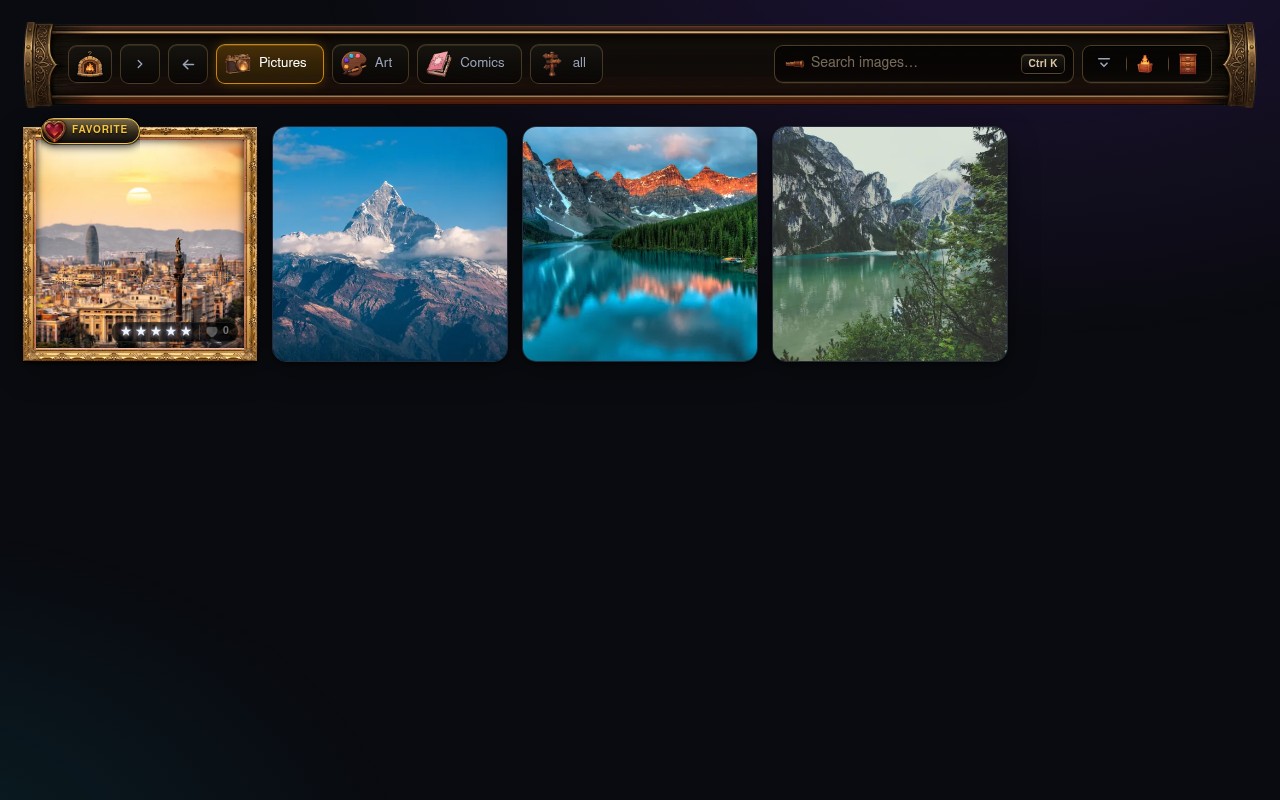
Hearth’s actual Images library, captured with a PG sample collection
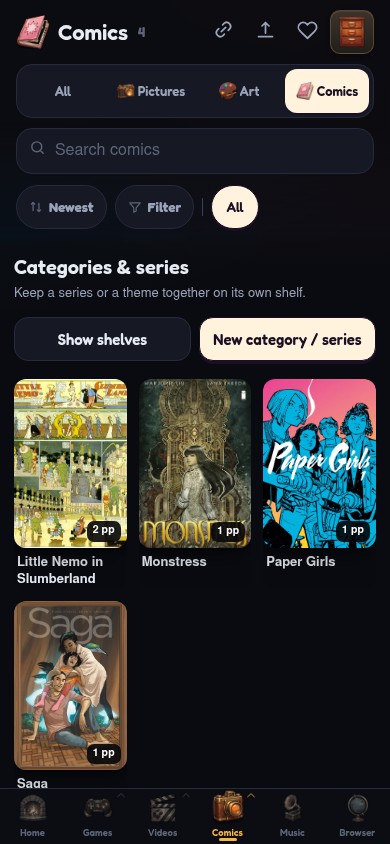
Hearth’s actual mobile app with sample comic covers
Hearth’s real UI. A sample collection.

ONE COLLECTION. EVERY SCREEN.

At your desk.
On the sofa.
In your pocket.

A chapter on your phone. A film on the sofa. Your games at the desk. Your shelves are there when you have a moment to yourself.

A little more room to play.

Your collection
Browse, watch, read & organise
Windows & macOS app
Native local browser
Games & Moonlight
A configured gaming desktop
WindowsmacOSWeb app
Get the desktop app

On mobile: browse your collection, watch videos, read comics and enjoy your images. Game launching is desktop-only for now.

Just for you ;)

MAKE YOURSELF COMFORTABLE

A personal collection.
Emphasis on personal.

Some favourites are for sharing. Some are yours to keep. Cover your shelves in a moment, lock up when you leave, and choose who gets a look.

Go on, tuck this sample collection away.

Your quiet cornerSample library

A little time for yourself.

GRIS game artwork
GRIS
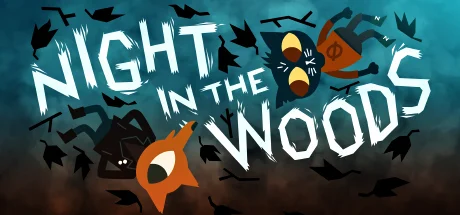
Night in the Woods game artwork
Night in the Woods
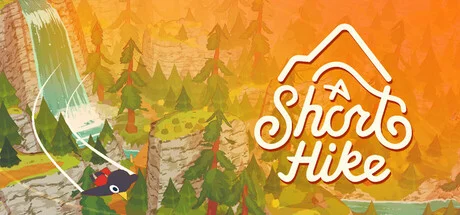
A Short Hike game artwork
A Short Hike
Your favourites. No explanation needed.
Your collection is showing.
Company’s here?
One tap.

YOUR CONNECTION, YOUR CHOICE

Bring your own VPN.
Hook it right in.

Keep the provider you already trust. Run Hearth’s privacy browser on your server and route its browsing through your configured VPN. Supported downloads can use that connection too.

Provider examples for compatible server configurations. Setup and coverage depend on your provider and connection method.

Your serverHearth privacy browser
Browser traffic
MullvadYour provider

“Where was I?”
Right here.

Every guest has their own viewing progress, reading position and favourites.

Paper Girls comic cover, example reading progress
Paper GirlsYour bookmark · Page 18 of 32In your favourites

Your page is yours. Alex’s bookmark stays separate.

SERVER-HOSTED PRIVACY BROWSER

That tab you’d
leave open?
Give it a shelf.

Browse from your own server, through your configured VPN. Smart video and image downloads find media on a page, bring galleries in together, and give every find a name, artwork and a place in your library.

Try a smart download. Your own sources stay yours.

Your server does the browsing.

Open the hosted browser from Hearth. Its traffic uses your server’s configured VPN route.

Desktop routing depends on your connection and settings; it can fall back to direct. Check the route shown in your app.

Hearth privacy browserOn your server · via VPN
example.gallery / a-weekend-away
THE PLACES WE GO

Keep the view.

An example photo gallery
2 images detected
From the browser to your collection.Try saving these sample images.
Moonlight
DESKTOP GAME STREAMING

Your games.
Your desktop.
Your way to play.

Launch from your desktop Hearth and hand off to Moonlight. Your gaming PC runs the game; a configured desktop client brings it to your screen.

How game streaming works
Hollow Knight, shown on an illustrative desktop monitorDESKTOP PLAY · MOONLIGHT HAND-OFF
Your desktop, ready to play.
Desktop play.
Your way.
Your gaming PCMoonlightDesktop client

BUILT-IN P2P & TORRENTS

Good finds.
Happy landings.

Search, queue and follow your torrents inside Hearth. Bring games, video and comics home with artwork, progress and a destination already picked out.

P2P & magnet linksVideo & gallery rippingGame imports & updates

Coming home.

One queue. The right shelf for each arrival.
DEMO
Firewatch game artwork
FirewatchGame import Games
Ready
Sintel open movie artwork
SintelP2P download Videos
Ready
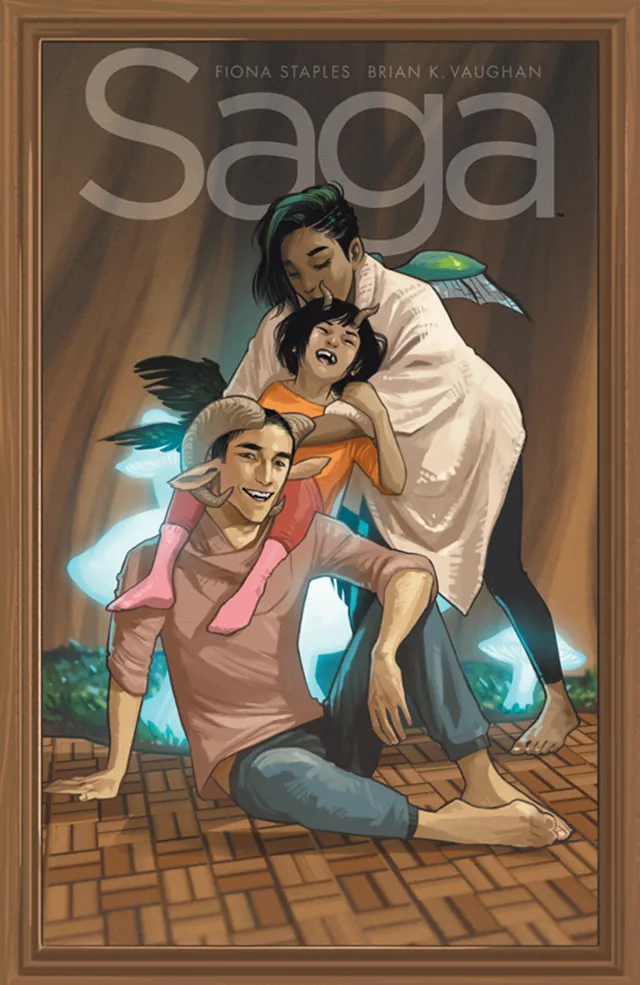
Saga volume nine cover by Fiona Staples
Saga, Vol. 9Comic import Comics
Ready
Follow each arrival into its own collection.

An illustrative queue. No files are downloaded by this demo.

YOUR HEARTHMake room for everything.
Games
Videos
Images & comics
On your hardware. Under your control.
WebWindowsmacOS
One home.
All your screens.
MAKE IT YOUR OWN · HEARTH SERVER

A home server.
With a lot more heart.

Your hardware, your storage, your collection. A Hearth at home brings everything together, then opens it on the screens you choose.

DockerSelf-hosted stackWindows server.exe package planned

Hearth runs on Docker today. The standalone server package is in development, including a Windows executable. Web, Windows and macOS clients connect to an existing Hearth.

Find your way in Server setup guide

A DEDICATED MCP FOR YOUR HEARTH

Your collection.
Your assistant.
Same conversation.

Give your AI assistant a door into Hearth. Find a game, inspect a save, or work with supported game tools by asking in your own words.

Your AIMCPYour Hearth

WHERE WE’RE HEADINGComplete control of your Hearth server from your AI: libraries, downloads, browser and server settings. Broader server management through MCP is planned.

How to connect
A conversation with your HearthEXAMPLE
YOU

“Find the RPG Maker games in my library.”

AVAILABLE NOW · LIBRARY TOOLS

An assistant that knows your shelf.

Search your own library by title or engine, then open the full record for a game. No retyping your collection into a chat.

Find a gameRead its detailsKeep useful notes

Illustrative requests. This page never connects to an AI or your server.

Connect your own assistant

Use a compatible MCP client with Streamable HTTP. Add your Hearth server’s endpoint and its private access token from the game-tools connection panel.

https://your-hearth.example/__hearth-web/mcp

Library and supported game tools are available today. Live game tools need a configured host. Your chosen AI provider receives the information your assistant requests.

PICK YOUR WAY IN

Make yourself
at home.

Open an existing Hearth, give it a desktop window, or prepare a place for a server of your own.

02

Give it its own window.

The Windows and macOS desktop client adds a native local browser. The current download connects to this Hearth.

DESKTOP CLIENTDownload for Windows or Mac A client connects to a server; it doesn’t install one.
Start a Hearth of your ownSource setup, folders & connections

The current server setup is for a source checkout of Hearth. A ready-to-download Docker release and Windows server EXE are still in development.

  1. 01

    Give it some room.

    Install Docker with Compose, and choose your library and download folders. From the checkout’s distribution/ folder, copy .env.example to .env and set your paths.

  2. 02

    Light the first fire.

    Run the source build, then open http://localhost:8770. Create your owner password before enabling access from other devices.

    docker compose up -d --build
  3. 03

    Bring your first folder.

    In Systems → Server setup, add your game or video folders and start a scan. Connect Steam, your VPN route, qBittorrent or Sunshine when you need them.

Start with the library. Optional browsers, game streaming and downloads have their own requirements. Back up Hearth’s data and your original media together.

Get the full setup guide

ON THE WORKBENCH

A little more to look forward to.

PLANNED · NOT AVAILABLE YET
Easier to make your own

Published Docker images, a Windows server EXE and a desktop server picker.

More help on your hardware

Local AI suggestions for names, tags and collections, plus private face clustering.

Accounts that travel with you

Hearth Cloud sign-in and server discovery, connections between friends’ servers, shared update discoveries and watch-together.

A LITTLE HELP AT THE DOOR

Good questions.
Clear answers.

Your collection, your setup, your next step.

What is HOOKER?

HOOKER is Hearth’s integrated cheat system, exposed through authenticated MCP tools. A compatible AI assistant can inspect supported games, edit saves, change live values and keep cheat plans for later launches. Engine coverage includes RPG Maker, Ren’Py, Unity, Godot, GameMaker, HTML/Twine, Java and Electron. Available tools vary by engine and host; this is for single-player games.

Meet HOOKER
Can my AI assistant control Hearth?

Hearth has a dedicated authenticated MCP endpoint for compatible AI clients. Today it exposes library search, game records, notes, supported save tools and live game tools on a configured host. Complete Hearth server management — media libraries, downloads, browser and settings — is planned. Your AI provider receives the information your assistant requests.

Explore Hearth MCP
What can I keep in Hearth?

Games, video, VR, comics, manga, photography and artwork. Each has a place that fits it. The games, comics and footage on this page are examples, not a bundled catalogue. You bring your own collection.

Does an account give me access to a library?

A new account starts empty. The server’s keeper chooses what to share with you. Registration is open on this server. Your account belongs to this Hearth server.

See how sharing works
Which download do I need?

Use a browser to reach an existing Hearth, or get the Windows or macOS desktop client for its native local browser. To host your own library, use the Docker source setup. Published server images and a Windows server EXE are still in development. The desktop download is a client, not a server installer.

Go to Downloads
Is there one login for every Hearth?

Today, accounts and invitations belong to the server you join. Hearth Cloud accounts, server discovery and connections between friends’ servers are planned. The plan keeps your content and library records on your server. These cloud features are not available yet.

See what’s planned
Can I bring the folders I already have?

Yes. Scan installed games or existing videos in Systems → Server setup → Libraries. Video originals stay in place, and read-only archives are supported. Repeat scans preserve your edits and viewing progress. Image/comic folder scanning and automatic folder watching are still planned.

Try the folder-scan sample
Where does the music come from?

Your own music folders, scanned into albums, artists, genres and playlists. On a server with Hearth’s music stack you can also ask for an album or playlist: it searches Soulseek through your own slskd account, prefers a lossless copy of the right recording and files it into your music folder, where Hearth picks it up. Download only what you have the right to. Members listen by default, and the owner can switch a person off. The phone app lives at /listen.

Visit the listening room
What about comic and video formats?

CBZ comics, image galleries and video imports from supported pages have their own shelves. Video playback depends on the codec and your browser or player; a file extension alone does not guarantee playback. Scanning an existing video folder leaves the original files unchanged.

Explore the reading room
Can I name the shelves my own way?

Yes. Server owners can rename the library splits in Systems → Server setup → Appearance. Games, Videos, Anime, Pictures, Art and the other rooms can use names that suit your collection. These names are shared across the server’s devices and accounts.

What should I back up?

Keep Hearth’s server data and every library folder together in your backup plan. An indexed folder still contains the originals; library records and previews do not replace them. The source setup guide explains the data volumes, configuration and keys to preserve.

Read the setup and backup guide
What does the privacy cover actually do?

The cover hides your shelves on screen. Locking asks you to unlock Hearth before returning to them. Sharing permissions separately control what another account can access. A privacy cover does not encrypt the files on your drive.

Try covering the sample shelf
Does the VPN protect everything on my device?

Bring your own compatible provider and configure the server’s browser and download routes. Those routes do not automatically cover other apps on your device. The desktop client’s local browser has separate routing settings and can fall back to direct; check the route shown in Hearth. A VPN subscription is not included.

Explore the VPN connection
Can friends have their own progress?

Yes. Accounts on your server keep separate viewing progress, comic bookmarks and favourites. You choose what each person can access. Owners can also create public links with configurable expiry and revoke them later; anyone with a valid link can open the shared item. Connecting separate Hearth servers is future work.

Try the sharing preview
What stays on my server?

Your collection and library records live on the Hearth server you use. Connected features still contact the services you choose, such as Steam, source sites, your VPN provider or an external AI provider. Local AI suggestions for names and tags, plus private face clustering, are planned for your own hardware.

See the local AI plans
Can I use Hearth on my phone or tablet?

Yes. Browse collections, watch videos, read comics and view images in the mobile web interface. Open your server’s address and add it to your home screen if you like. Playing games through Hearth on a phone is not available yet. Game launching and Moonlight hand-off need a configured desktop.

Compare the screens
Does Hearth work with Steam?

Yes. Connect a SteamID and Web API key in the server settings to sync owned games and playtime. Hearth can also read installed games from a configured Steam library. Steam sits alongside your local and web games; launching needs Steam on a configured desktop. Steam handles its own updates.

Visit the Steam shelf
How do game updates and source logins work?

Link games to supported Patreon, itch.io or F95 sources. The server’s keeper connects source accounts and chooses check-only or automatic update schedules in Systems. Paid releases and signed-in pages still need your access. A login in your ordinary browser is separate from the hosted browser’s session. New game builds use separate version folders; configured retention rules decide how long older builds stay.

Try the update watcher
How does game streaming work?

Your gaming PC runs the game. Hearth’s desktop hand-off opens a configured native Moonlight client through the local helper and a Sunshine-compatible host. You need the host, client and a suitable network connection. A Linux or NAS library server by itself cannot run a Windows game. Phone gameplay inside Hearth is not available yet.

See the desktop connection

Come in.
Make it yours.

A home for your collection. A little space for yourself.

Anyone can register. A new account starts empty.

About the collection shown here

Public sample media, not a bundled catalogue. The interactive split and UI captures use Hearth’s actual desktop and mobile renderers with a separate PG sample library. They contain no private library records.

Game artwork belongs to its respective creators and comes from official Steam promotional assets. Pepper & Carrot art and story by David Revoy, CC BY 4.0; resized and cropped. Monstress by Marjorie Liu & Sana Takeda; Paper Girls by Brian K. Vaughan & Cliff Chiang; Saga by Brian K. Vaughan & Fiona Staples. Covers via Image Comics. Big Buck Bunny and Sintel © Blender Foundation, CC BY 3.0. Anime stills from Spirited Away and Arrietty via Studio Ghibli’s official galleries.

Photography via Pexels; alpine lake by Markus Spiske. Coastal footage by Maximiliano Piris. Brand marks identify compatible platforms and example providers; no affiliation or endorsement is implied. Little Nemo in Slumberland by Winsor McCay, 1905–1906, public domain. Forest panorama by Dimitrios Savva and Jarod Guest via Poly Haven, CC0. Full source credits.